
Installation
Using a Launcher
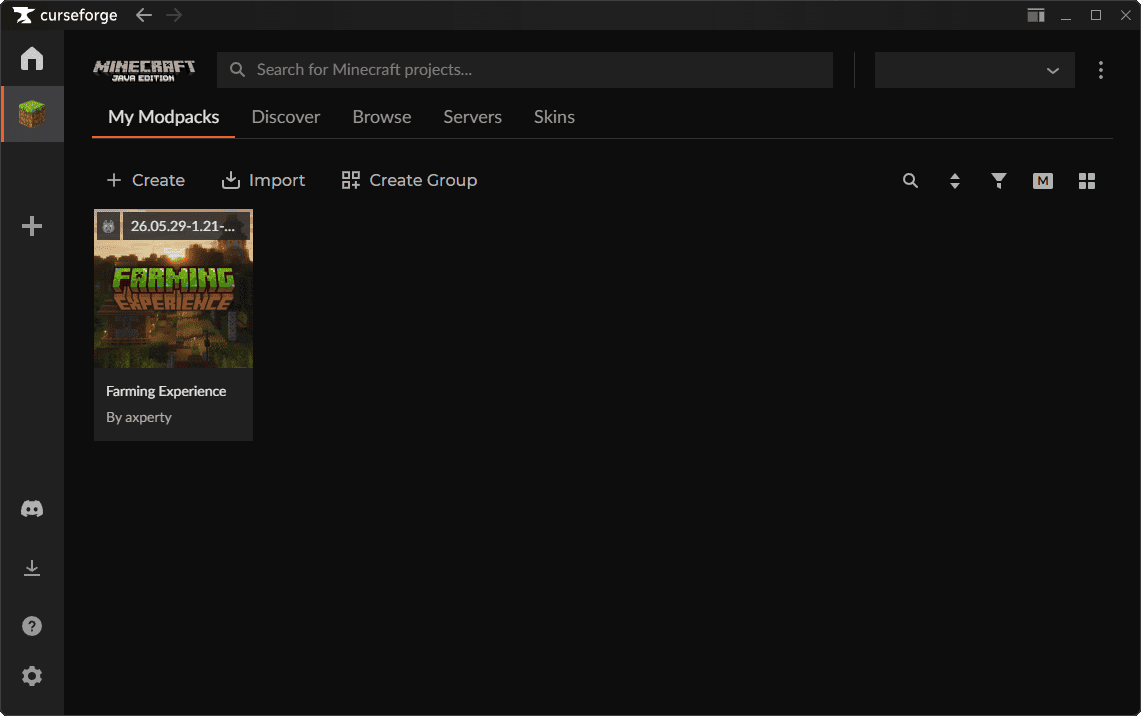
The Farming Experience modpack was made to work with the CurseForge App and Modrinth App. Keep reading below for instructions on how to install it on either launcher.
- Launch CurseForge.
- Click on the
Browsetab. - Search for
Farming Experience. - You might have to scroll a little bit.
- Click on the
Installbutton. - Wait a few seconds and your
Farming Experienceinstance will be ready to launch.
Additional Information
RAM Allocation
You can customize the amount of RAM that your Farming Experience instance uses. Allocating more memory may improve your FPS when using shaders or speed up chunk loading. These are the default values for each platform:
- CurseForge: 4 GB
- Modrinth: 4 GB
Manage Mods
You can install more mods in your Farming Experience instance. This might not work properly with some mods, so it's not recommended to install too many mods. If you modified your instance and it crashes on launch, please do a clean reinstall of Farming Experience.
What is Farming Experience Core?
It's a mod exclusively for Farming Experience, which modifies different settings of the game to make the progression slower and more comfortable.
- When the player dies, they won't lose their inventory, instead they will lose a heart for every time they die with the possibility to recover hearts by eating golden apples.
- Phantoms don't spawn.
- Zombies are scared of any light sources and will run away from them.
- Zombies, skeletons, and endermans spawn in the overworld.
- Creepers and spiders spawn in caves.
- All monsters have less health.
- Untamed cats don't run away from the player.
- TNT can be thrown when the player has flint and steel and TNT blocks on their hands.
- Minecarts can be placed without using rails.
- Multijump, dash, and smash enchantments.
- Items crafted with dyes can be placed in water cauldrons to wash them back to their base color.
- Tools and weapons can be always repaired.
- Days and nights are longer.
- Changes the panorama background.
- Adds more recipes and advancements.
- Tweaks different Minecraft texture assets.
- Detects if the player is running the modpack.
- Mobs only drop loot and XP when killed by a player (disables passive mob farms).
- Endermen drop significantly less XP to discourage enderman XP farms.
Important
Uninstalling this mod is not recommended, by doing so you will remove main features of the modpack. If you don't want a feature enabled, you can disable it in game options.
Updates
Farming Experience is updated frequently to include bug fixes, performance improvements, and new mod features. Keeping your instance updated to the latest version is important to avoid issues with your gameplay.